0%
Browser 11

Browser 11

Project Description:

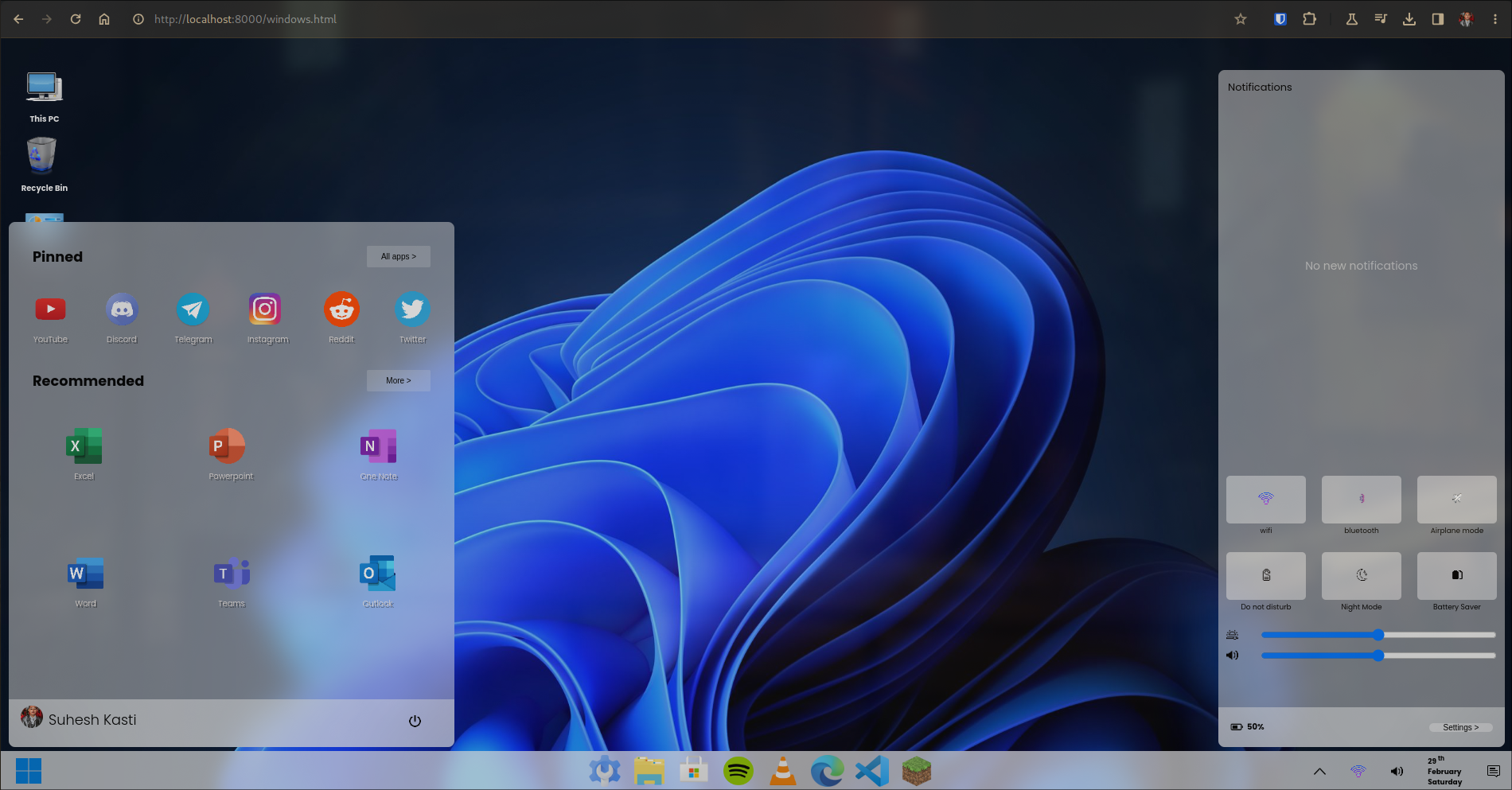
I created a simple Windows 11 replica in a web browser using HTML, CSS, and JavaScript, one of my initial projects in web development. The project features interactive elements like a start button and a notification center, emulating the functionality of the Windows 11 interface.

Project Requirements:

  • Replicate the Windows 11 interface.
  • Implement an interactive Start button.
  • Create a functional Notification Center.
  • Develop the project using HTML, CSS, and JavaScript.

What I Learned:

This project served as a fantastic learning experience for me in several aspects of web development, including:

  • HTML for structuring the page.
  • CSS for styling and layout design.
  • JavaScript for adding interactivity to the elements.
  • User interface (UI) design principles.
  • Event handling and DOM manipulation.
  • Troubleshooting and debugging web applications.
Here’s the link to my project on GitHub.
Tags :

Comments

comments powered by Disqus

Related Posts

Using Hugo Shortcodes for Enhanced Content

Today I learned how to use Hugo shortcodes to create reusable content snippets and enhance my markdown files.

Read More
DNS for Dummies: Part 1

DNS for Dummies: Part 1

The journey to mastering DNS starts here. Let's discover why DNS is the internet's backbone and its role in enabling modern-day connectivity.

Read More
Understanding Half Proxy

Understanding Half Proxy

In a half proxy setup, the load balancer intercepts the client's request, forwards it to the server, but the response from the server bypasses the load balancer and is sent directly to the client. This setup is used in specific scenarios where performance gains are desired, but it introduces challenges like asymmetric routing. But what is asymmetric routing?

Read More